Checking and refreshing sources
The Sources page shows where the catalog reads its decisions from, and whether the last read worked. It is meant for operators. Use it when a decision is missing or looks out of date.
Everybody who is signed in can open the page. Only operators see the controls to refresh a source and the technical details of a problem. Other users see a note saying so, below the table.
Open the page
Select Sources in the top bar (on a phone, in the menu). Each row is one source.
- Registration
The name of the source.
- Type
What kind of source it is.
- Intake
How decisions arrive: by regular reading (“poll”), by being pushed from a pipeline, or both.
- Published ref
The branch or label the catalog treats as published.
- Status
The result of the last attempt; see below.
- Last attempt, Last success
When the catalog last tried to read the source, and when it last succeeded.
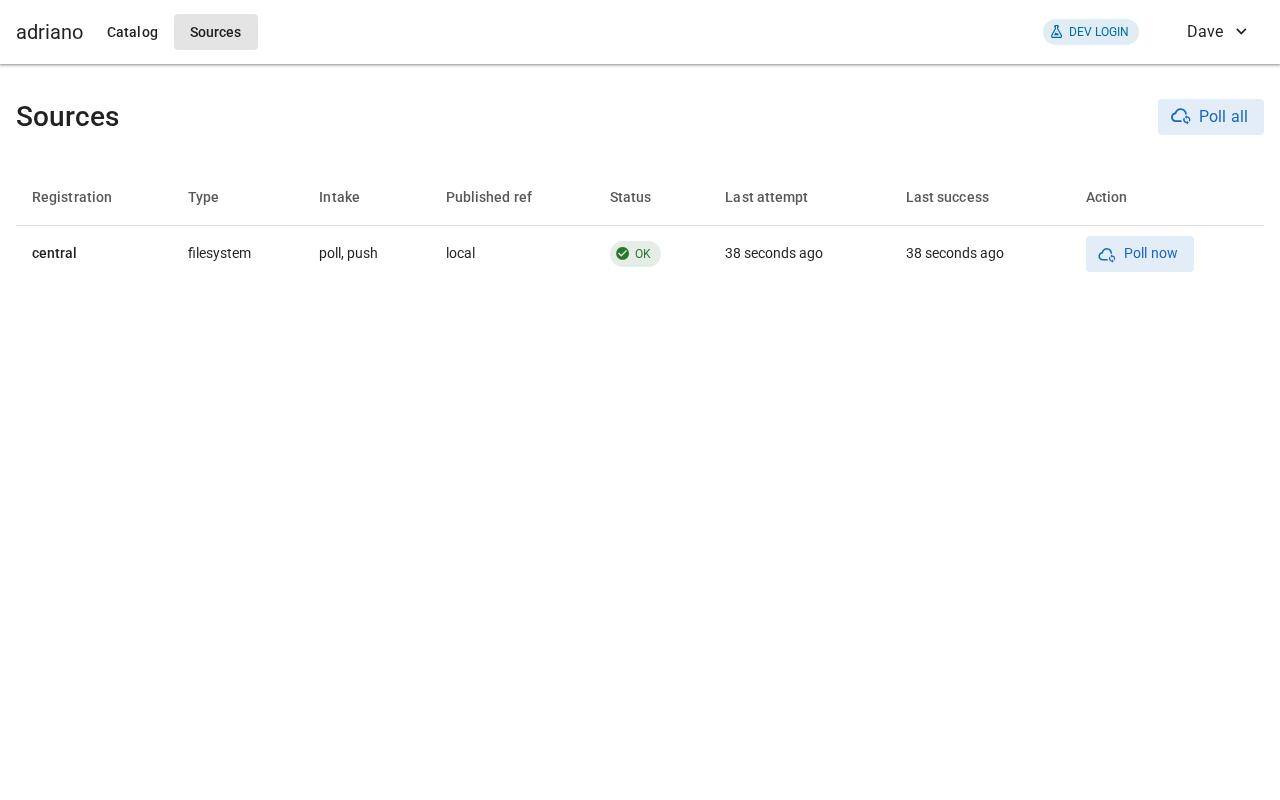
A healthy source.
Read the status
- OK
The last read worked.
- Partial
The last read worked only in part; some files may be missing.
- Failed
The last read failed. The catalog keeps showing what it already had, and does not delete anything.
- Disabled
The source is switched off, usually because of a setup problem.
- Never polled
The catalog has not tried to read it yet.
A source that has not been read for a while is marked stale, with the note “Stale — past the freshness threshold.” Decisions from a stale source carry a banner saying they may be out of date.
Refresh a source
Reading happens on its own, but you can ask for it now.
Select Poll now in the source’s row to read that source, or Poll all above the table to read every source.
Wait a moment, then check Status and Last success.
Sources that only receive pushed files show Not pollable instead of the button.
When something is wrong
Operators see a message under the row with a headline such as “Couldn’t reach the source”, the technical details, and a hint for what to do next. Typical hints are to check the connection, the credentials or the path, and then to poll again. Problems with the setup itself, such as a missing access token, need a change to the configuration and a restart; those steps are in the operator guide.
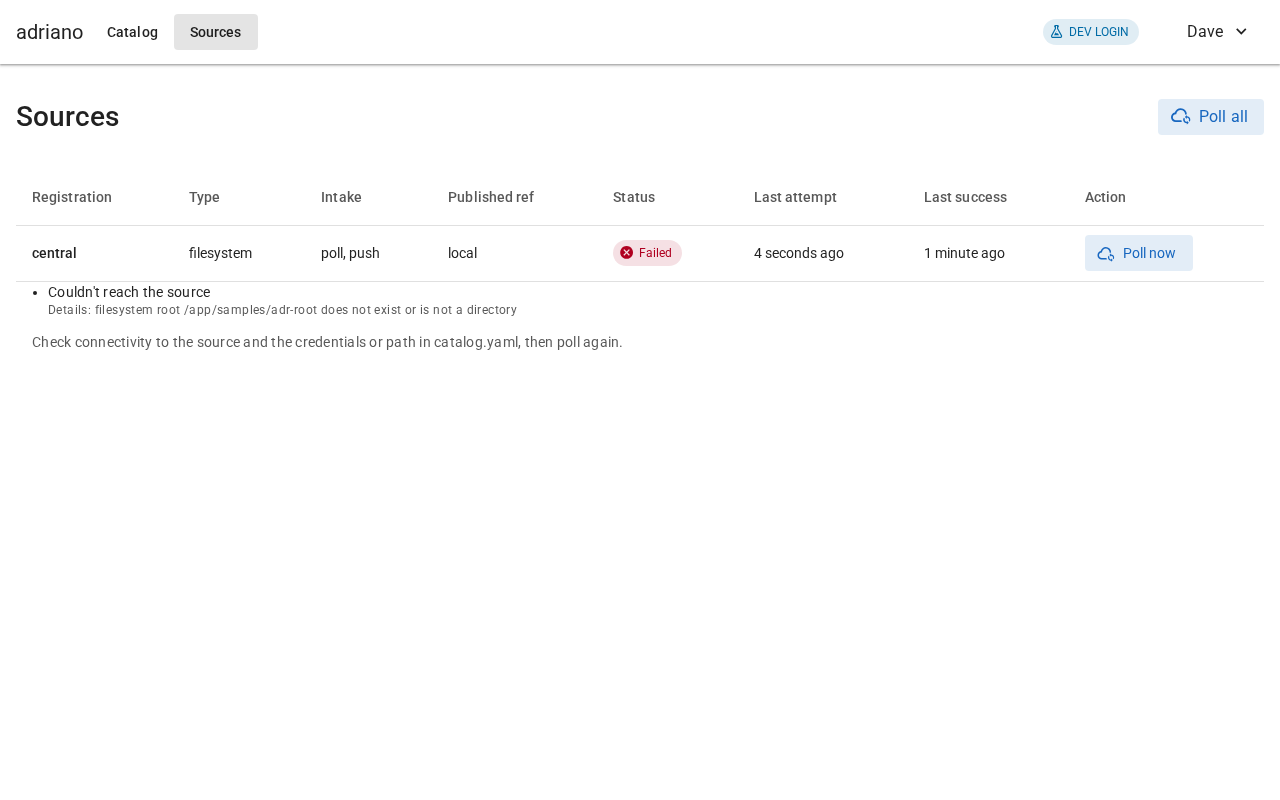
A failed read, with its explanation and a hint.
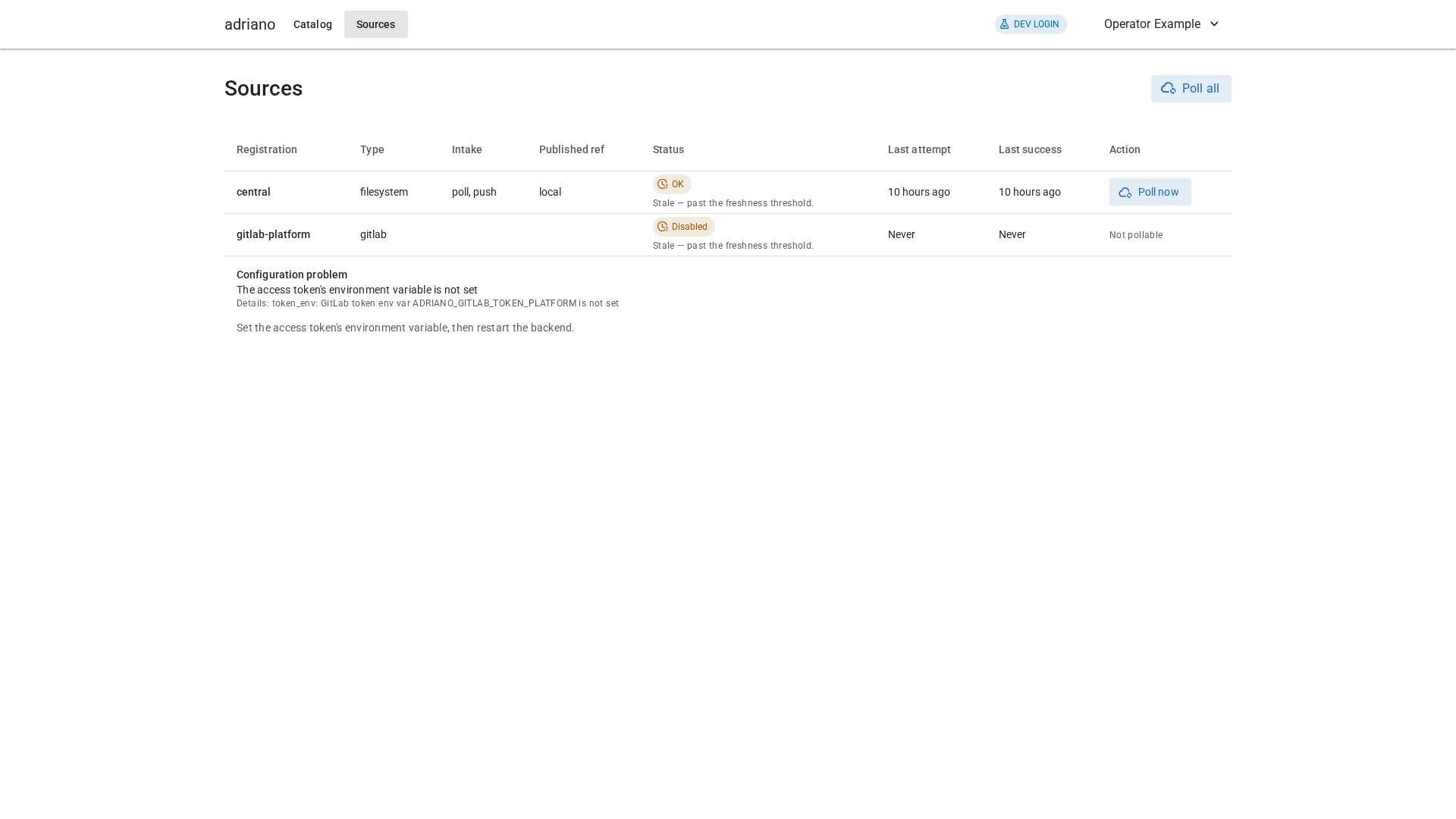
A disabled source with a configuration problem.
On a narrow screen or when zoomed in, the table drops its less important columns, and the page stays readable without sideways scrolling.
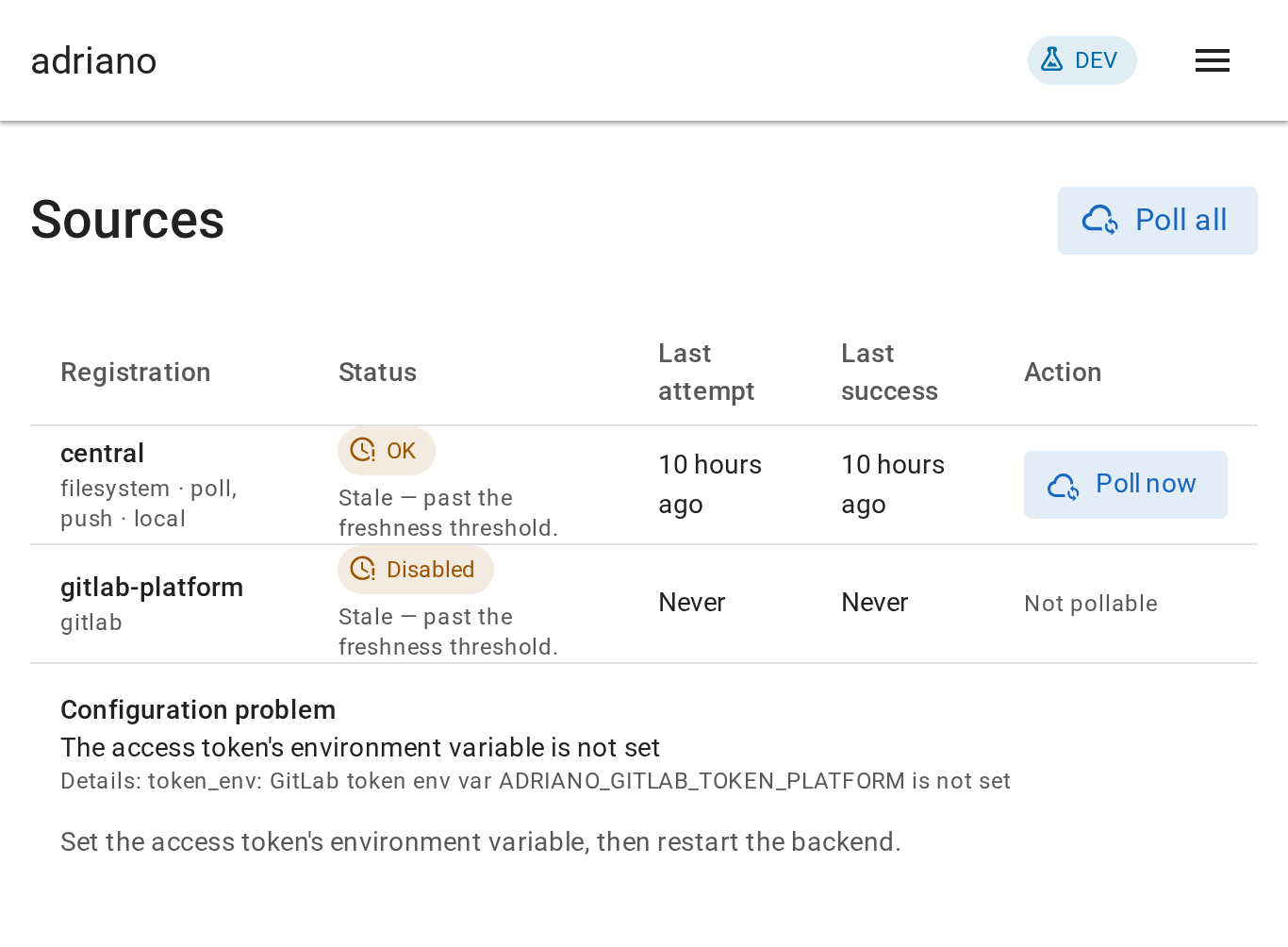
The Sources page at 200 percent zoom.