Errata: corrections to decisions
Decisions are not edited after they have been accepted. When someone finds a mistake, they file an erratum: a short report that quotes the wrong passage and gives the right one. This page explains how to read one and how errata show up on the decision they correct.
What an erratum is
An erratum contains:
The type: Technical if it changes what the decision means, or Editorial if it only fixes wording, such as a typo.
The section of the decision it is about, if given.
Original text — says: the passage as written. Missing when the erratum adds something new.
Corrected text — should say: the replacement.
Notes: why the correction is needed.
An erratum never changes the decision itself, nor the decision’s status or history. It sits beside the decision, with a status of its own.
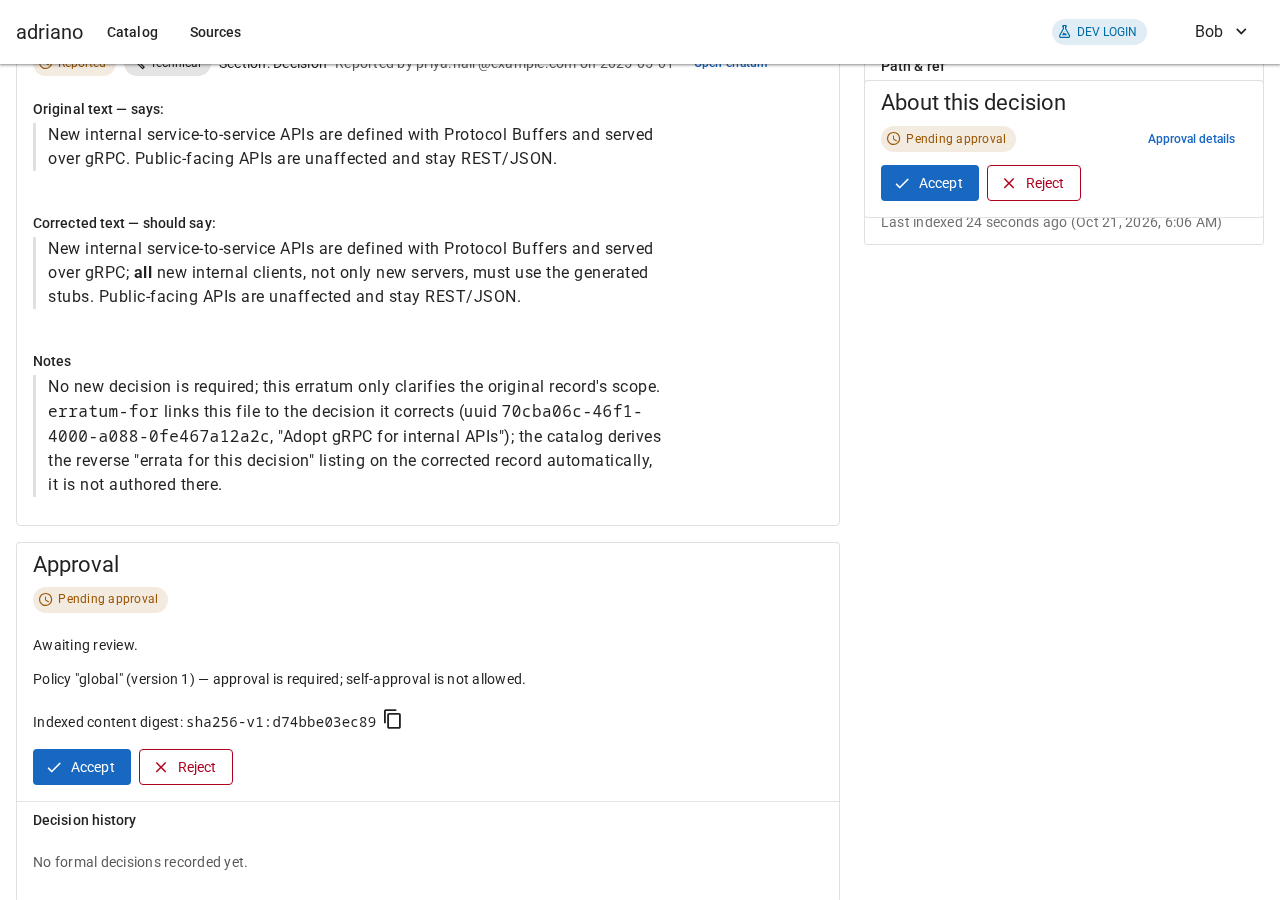
An erratum as listed on a decision.
Status of an erratum
Errata use their own words. See Concepts for the full life cycle.
- Reported
Someone reported it; no reviewer has checked it yet. Treat it as a suggestion.
- Verified
A reviewer confirmed the correction. Treat the corrected text as the intended wording.
- Rejected
A reviewer decided the correction is wrong.
- Changed since verification
The report was edited after it was verified. The new text has not been checked.
On the search page errata show an Erratum chip. Set Show to Errata or Both to list them; see Searching the catalog.
Errata on a decision
A decision with errata has a link in its header, such as “1 erratum · View errata”. It jumps to the Errata section below the document. The section’s heading counts them, for example “Errata — 2 errata · 1 proposed”.
Each entry shows the status, type and section, who reported it and when (if known), the original and corrected text, and an Open erratum link.
Errata that come from another ref (for example a branch) and are not yet published are proposed. They appear in their own group, Proposed errata, with a status such as “Reported — Proposed (ref …)”. Treat them as drafts.
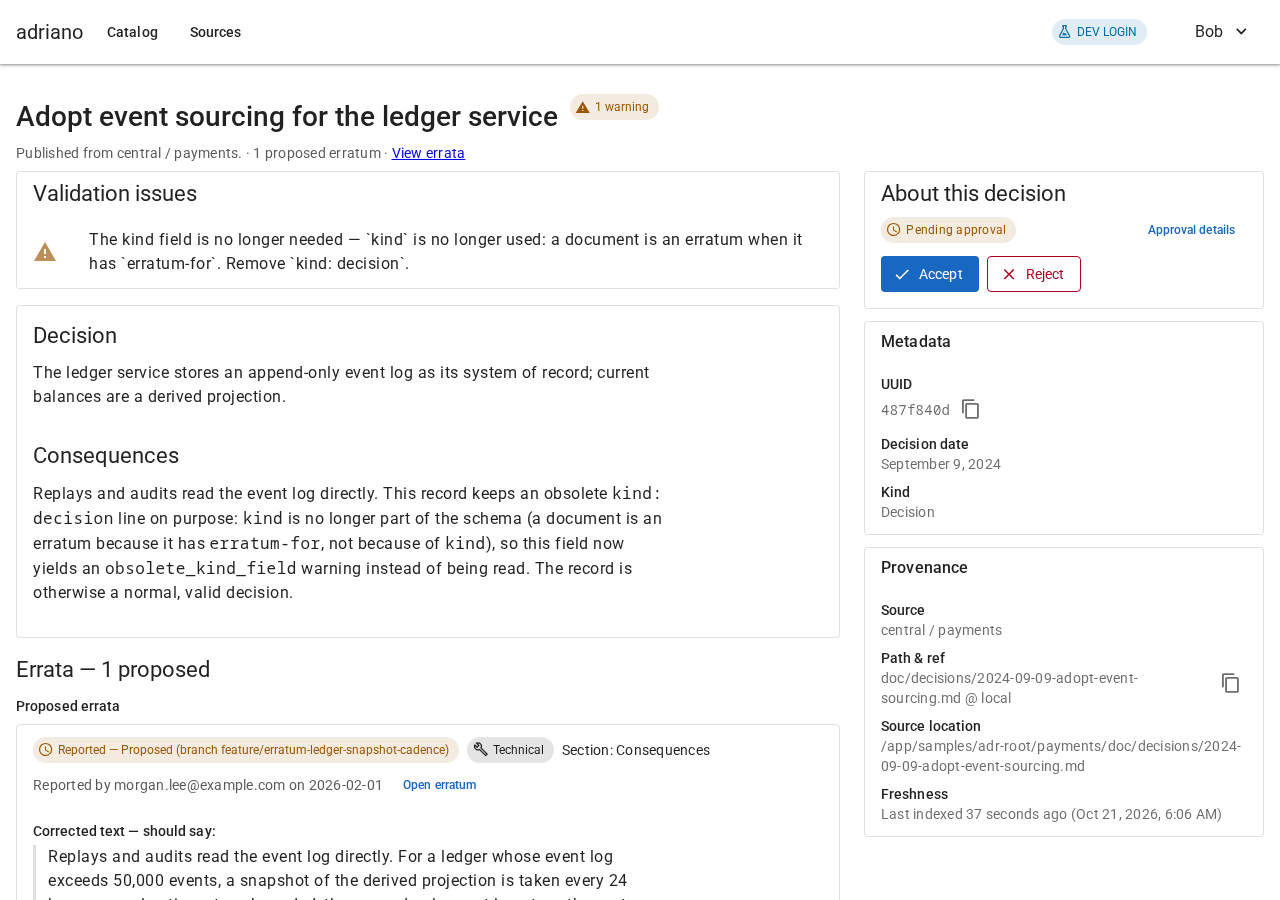
A decision with a proposed erratum.
Reading an erratum’s own page
Open an erratum to see it on its own. A banner at the top says “This is an erratum for …” with a link to the decision. The sidebar is titled “About this erratum” and holds its status, identifier and report date.
If the banner says “This is an erratum for an unknown decision”, the catalog could not match it to a decision; ask its author to check the reference.
Readers see the status and the note “Only reviewers can approve this.” Reviewers see Verify erratum and Reject erratum; see Reviewing decisions.
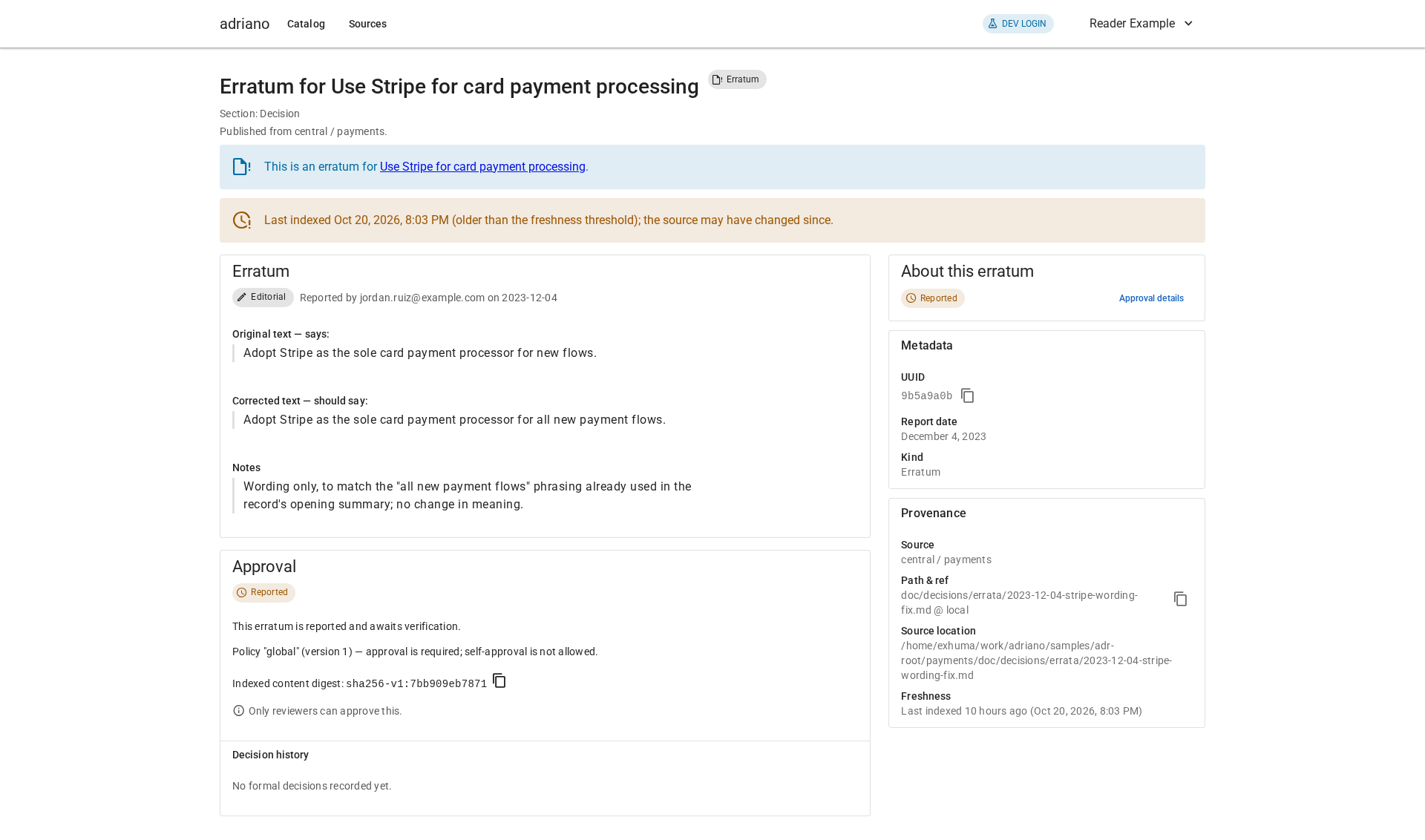
An erratum as a reader sees it.
Filing an erratum
Errata are files, just like decisions. See Writing decisions and errata for the format.
On a phone
Errata appear in the same column as the rest of the page.

A decision with an erratum on a phone.